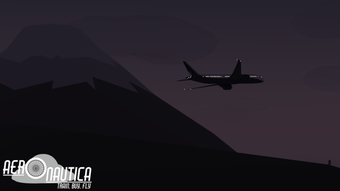

Fly Realistic Skies in Aeronautica
Overview
Aeronautica is a free flight simulation game developed by Roblox Corporation, available on Windows and Mac platforms. Designed for players who enjoy aviation-themed experiences, the game offers a unique take on flight mechanics within the Roblox ecosystem. Players begin by completing a tutorial to earn a pilot license, which unlocks access to various aircraft.
The core gameplay revolves around mastering flight controls, completing missions, and collecting in-game rewards such as new planes and parts. The game emphasizes realistic flight dynamics, requiring players to manage fuel, land precisely at designated points, and navigate through diverse environments. While the visuals are generally well-rendered, the ocean environment could benefit from enhanced realism.
Aeronautica caters to both casual gamers and simulation enthusiasts seeking a lightweight yet engaging flight experience. Real-world usage scenarios include learning basic flight principles, practicing landing techniques, and exploring open skies for leisure. The game integrates job-based progression, where players earn currency and experience to upgrade their fleet.
The developer did not provide additional system requirements.
Key Features & Capabilities
- Pilot License System – Players must complete a tutorial to obtain a pilot license, which is required to fly specific aircraft. This introduces a structured learning curve suitable for beginners.
- Mission-Based Progression – Accepting jobs allows players to earn in-game currency (WP), experience, and unlock more advanced vehicles. Success depends on completing objectives with precision.
- Crates and Hidden Rewards – Randomly scattered crates across the map contain new planes, parts, or bonuses. Players must physically touch the crate to collect its contents, adding a layer of exploration.
- Flight Mechanics and Controls – The game uses intuitive controls, allowing players to manage ascent and descent via mouse or finger input. Landing requires accuracy, as incorrect approaches result in respawn at the last checkpoint.
- Progressive Aircraft Unlocking – Access to more powerful planes and helicopters depends on accumulated air time, experience, and financial resources. Fuel and repair costs add realism to long-term gameplay.
These features create a balanced progression loop. For example, completing a job may reward enough currency to purchase a new aircraft, which in turn allows access to higher-tier missions. The game encourages strategic planning, especially when managing fuel consumption during extended flights. Players can also enjoy unrestricted flight for leisure, exploring the skies, observing sunrises, or simply enjoying the scenery. The mechanics differ from typical Roblox games, offering a more focused simulation experience.
User Interface, Workflow & Performance
The user interface of Aeronautica is designed for accessibility, with minimal on-screen clutter. Navigation is straightforward, relying on standard mouse or touch inputs to control the aircraft. The workflow begins with a tutorial that guides players through basic maneuvers, followed by a progression path involving license acquisition, job acceptance, and vehicle upgrades.
The interface includes essential flight indicators such as altitude, speed, and fuel levels, though the exact layout and customization options were not specified. Performance observations are based on general software behavior patterns. The developer did not specify resource usage details, so CPU and RAM behavior remain unknown.
Stability during gameplay is assumed to align with typical Roblox game standards. The game does not require external tools or scripts to function, ensuring a secure experience. No performance benchmarks were provided.
Compatibility & System Requirements
Aeronautica is available on Windows and Mac operating systems, with a release version of 1.0 and an installation size of 150 MB. The game is designed to run within the Roblox platform, meaning it does not require standalone installation. Platform compatibility information is limited to the supported OSes.
The developer did not specify exact system requirements, such as minimum RAM, processor speed, or graphics card specifications. Hardware requirements were not detailed. Players should ensure their device meets general Roblox platform standards for optimal performance.
No additional software dependencies were mentioned.
Pros and Cons
Pros
- Free to play with no hidden costs
- Intuitive controls suitable for beginners
- Progressive learning curve through pilot licensing
- Engaging mission and reward system
- Lightweight installation size of 150 MB
Cons
- Visuals on the ocean lack realism
- Landing mechanics may frustrate new players
- No detailed system requirements provided
- Progression tied to in-game currency and experience
- Requires Roblox platform to run
FAQ Section
Is Aeronautica available on Windows and Mac?
Yes, Aeronautica is compatible with both Windows and Mac operating systems.
Is the game free to download and play?
Yes, Aeronautica is free to download and play, with no in-app purchases required to access core gameplay.
Do I need a Roblox account to play?
Yes, as Aeronautica runs on the Roblox platform, a valid Roblox account is required to access and play the game.
Can I play Aeronautica offline?
Offline play is not supported. The game requires an active internet connection to run on the Roblox platform.
How often are updates released for Aeronautica?
Updates are released periodically by Roblox Corporation, though the exact frequency was not specified.
Final Thoughts
Aeronautica delivers a compelling flight simulation experience within the Roblox environment, combining accessible controls with a structured progression system. Its focus on realistic flight mechanics, mission-based rewards, and aircraft unlocking makes it a standout title for fans of aviation games. While the ocean visuals could be improved and landing precision may pose a challenge, the game remains engaging and rewarding.
The lightweight 150 MB size and free access make it highly accessible. Players seeking a fun, immersive way to learn flight fundamentals or simply enjoy flying should consider Aeronautica. It stands out among Roblox flight games for its unique mechanics and thoughtful design.
Download Aeronautica now and take to the skies today.







